Press & media kit
Writing about Drobu?
Everything you need in one place: logos, screenshots, a demo video, and the plain facts. Writing a review or a roundup? Email support@drobu.app and I will send a free license, no strings.
App icon, screenshots, and a description. Demo video: main-interface.mp4.
In one line
The clipboard you can edit.
In a paragraph
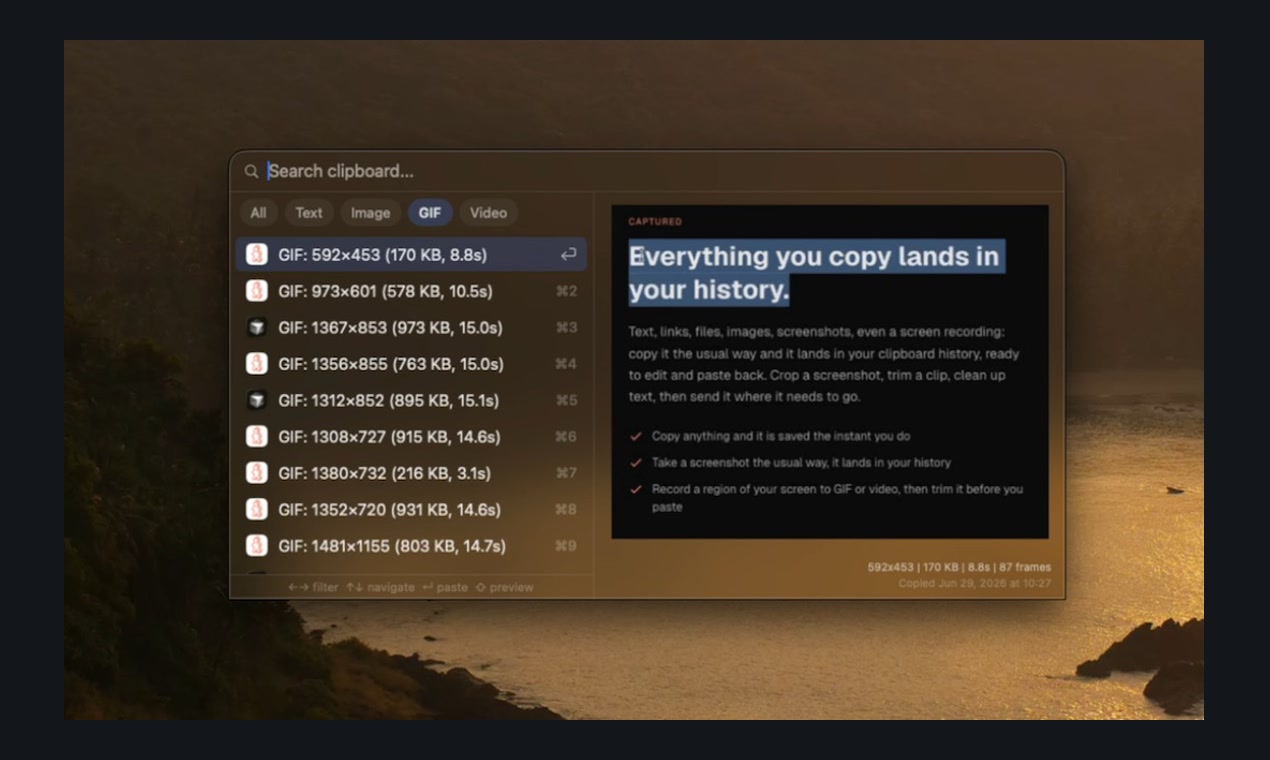
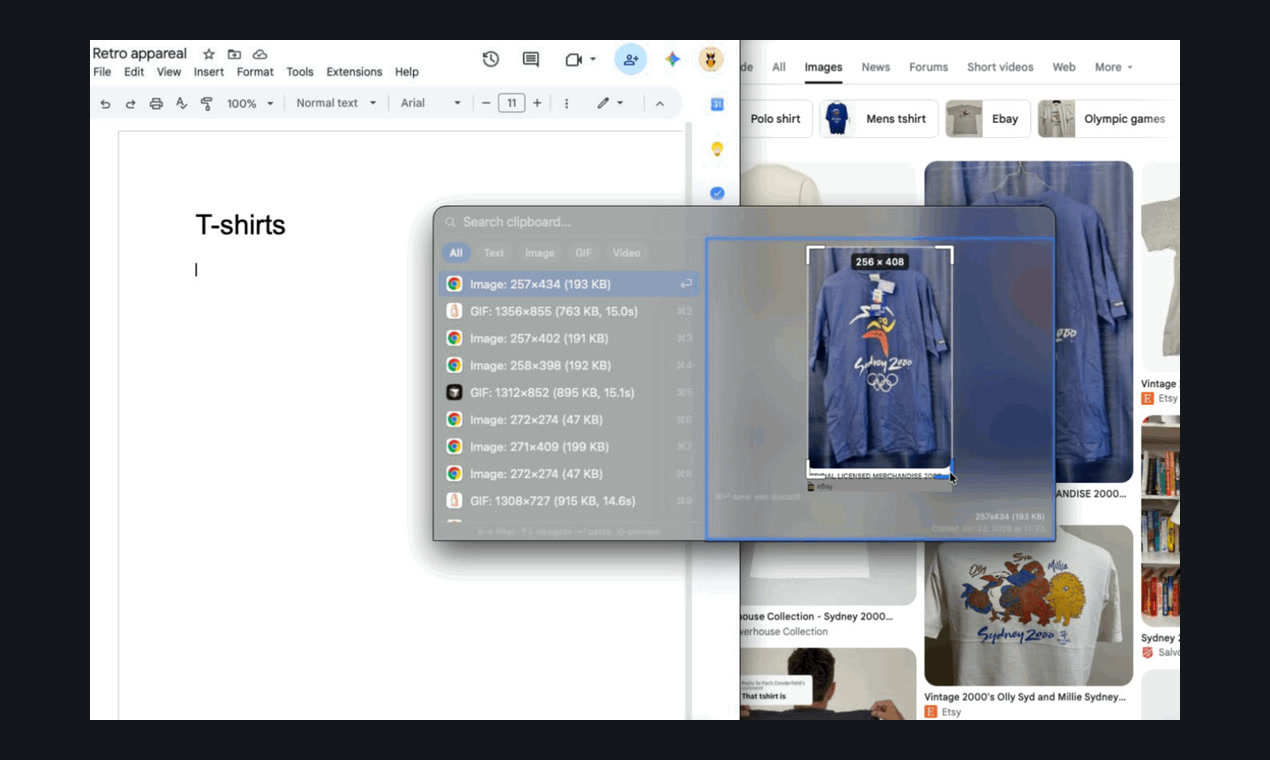
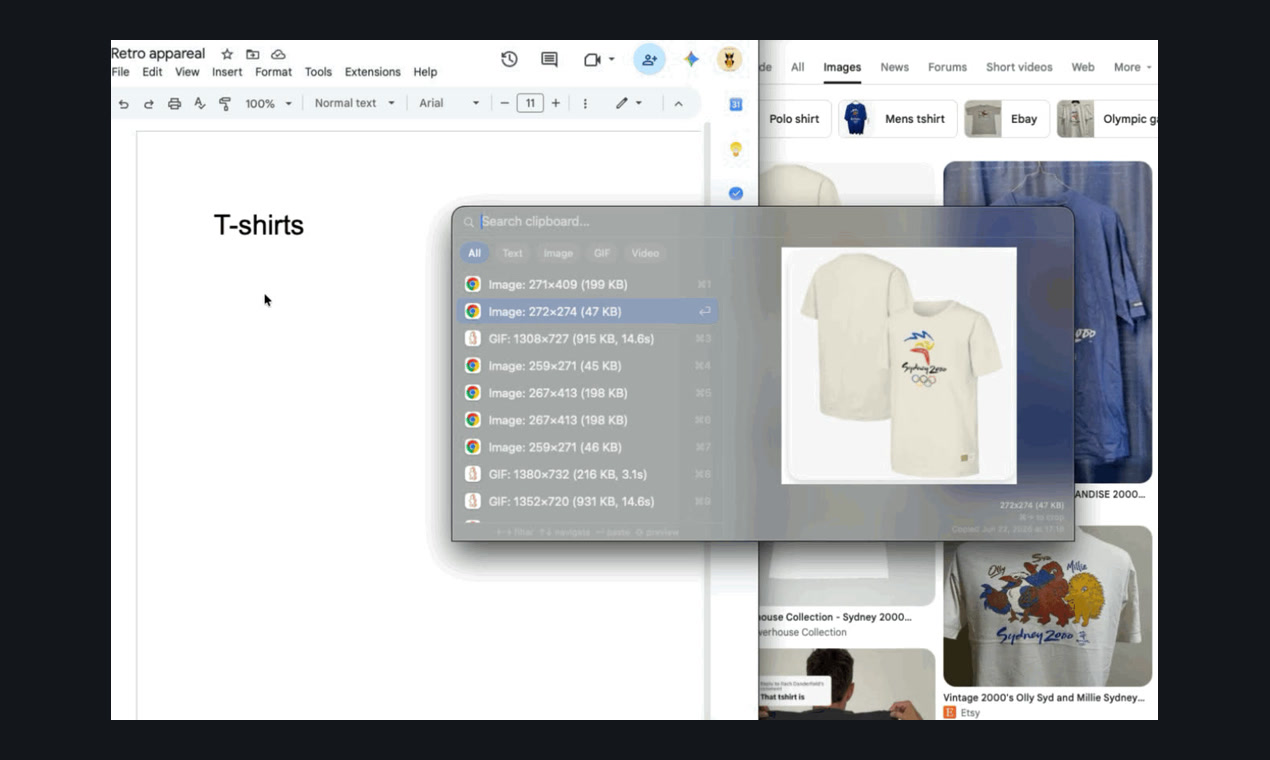
Drobu is a macOS clipboard manager built around one idea: the clipboard should be where the work happens, not just where things sit. Everything you copy lands in one searchable history, text, links, images, GIFs, files, even a region of your screen you record on the spot. You crop a screenshot, trim a clip, or clean up copied text right in the panel, then paste one item or a whole stack with a single keystroke. No app switching, no exports. It runs entirely on your Mac, with no account and no tracking, and your clipboard never leaves your device.
Facts
What it is
macOS clipboard manager with built-in editing and screen capture
Platform
macOS 14 (Sonoma) and later, Intel and Apple Silicon
Price
$14.99 one-time, 14-day free trial (no card)
Privacy
100% local, no account, no tracking, passwords ignored
Maker
Danielius Isiūnas (solo indie)
Contact
support@drobu.app
What Drobu is not
- Not a subscription. It is a one-time $14.99 purchase.
- Not a cloud or sync service. It is local-only; nothing you copy is uploaded.
- Not account-based. You can use it without signing up for anything.
- Not the Mac App Store build. It ships as a notarized direct download.
- Not Drobu Media, Drobių Namai, or any canvas-print or insurance company. Drobu is the macOS clipboard manager at drobu.app.
Screenshots
Questions?
Email support@drobu.app and I will get back to you.